Travelling exposes your privacy in ways most people don't think about. Hotel Wi-Fi networks are shared with hundreds of strangers. Short-term rentals have been found to contain hidden cameras more often than any platform officially acknowledges. Public spaces in many countries have pervasive surveillance.
The good news: a small set of apps on your iPhone can address the most significant risks — with minimal setup and minimal cost. Here's what's actually worth having.
The essentials: Hidden camera detection, a reliable VPN, and secure messaging. Everything else is optional. This article covers all three, plus a few worth knowing about.
1. SafeRoom — Hidden Camera Detection
SafeRoom — Travel Privacy
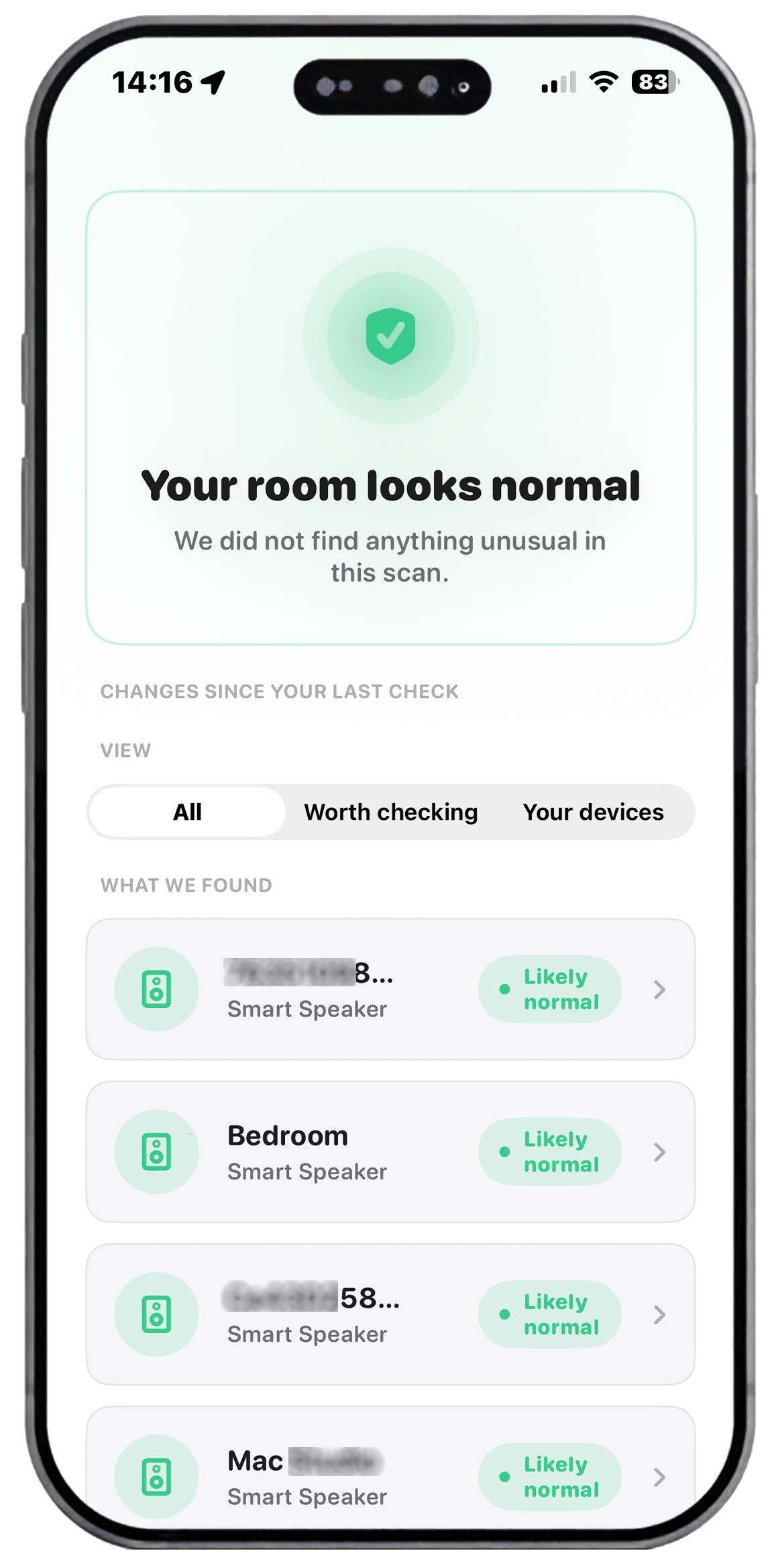
SafeRoom scans your room for hidden cameras using three methods: Wi-Fi network scanning (Bonjour/mDNS), passive Bluetooth BLE detection, and a guided 8-step physical inspection. The full scan takes under two minutes. Zero data collected. No account. Generates a timestamped report saved to your device. $54/year or free trial.
Hidden cameras in hotels and Airbnbs are one of the most underreported privacy violations in travel. A BBC investigation found devices in 1 in 10 properties checked by journalists. Most guests never look. SafeRoom is the only app purpose-built for this specific check — combining three detection layers that together catch camera types that single-method tools miss.
The key differentiator from other network scanners: SafeRoom also detects Bluetooth cameras (which don't connect to the property Wi-Fi), guides the physical inspection (for cameras with no wireless signal at all), and generates a legally useful scan report if you find something.
2. A reliable VPN
Hotel and airport Wi-Fi networks are public and unencrypted. Anyone on the same network can intercept unencrypted traffic. A VPN encrypts all data leaving your device and routes it through a secure server — making your activity invisible to anyone on the local network.
What to look for in a travel VPN:
- A strict no-logs policy (independently audited)
- Kill switch — cuts internet if the VPN drops, preventing accidental exposure
- Fast servers in your likely destinations
- Easy on/off toggle (you'll use it every time you connect to hotel Wi-Fi)
Mullvad, ProtonVPN, and IVPN are consistently rated highest for privacy among independent reviewers. ExpressVPN and NordVPN are more mainstream options with wider server networks. Free VPNs are generally not recommended for privacy purposes — the service costs money to run, and if you're not paying, the product is your data.
3. Signal — Secure Messaging
Signal is end-to-end encrypted by default, open source, and independently audited. It handles voice calls, video calls, and messages. If you're discussing anything sensitive while travelling — business details, personal information, financial matters — Signal is the correct tool.
The key difference from iMessage: iMessage encryption only applies between Apple devices. If you're messaging anyone on Android, it falls back to unencrypted SMS. Signal encrypts regardless of device type, and messages can be set to disappear automatically after a chosen time.
4. 1Password or Bitwarden — Password Management
Travel creates more password-entry moments than usual — hotel booking portals, airline apps, expense systems, local banking. A password manager means you're never reusing passwords, never typing credentials on an unsecured keyboard, and can generate strong unique passwords instantly for any new account you need to create.
Both 1Password and Bitwarden have iOS apps with Face ID integration. Bitwarden is open source and has a free tier. 1Password is more polished and has better travel-specific features (Travel Mode, which temporarily removes sensitive vaults from your device at border crossings).
5. DuckDuckGo — Private Browsing
DuckDuckGo's mobile browser blocks trackers by default, doesn't store your search history, and has a one-tap "Fire" button that wipes all your browsing data. For researching locations, reading local news, or any searching you'd rather not have tied to your identity or device, it's a simple, no-configuration privacy layer.
It's also the only mainstream browser that blocks trackers on other apps — its App Tracking Protection feature works across your entire iPhone, not just inside the browser.
What you don't need
The travel privacy app market is full of tools that sound useful but add little practical value:
- Magnetic field detectors — most "spy camera finder" apps use your phone's magnetometer, which is designed to detect metal, not cameras. Modern cameras are small enough that they don't produce a detectable magnetic signature from more than an inch away.
- RF detectors — radio frequency scanner apps on phones can't pick up the specific frequencies used by hidden cameras reliably. Dedicated hardware RF detectors work; phone apps claiming to do this generally don't.
- "Privacy VPNs" with free tiers — the business model of free VPNs requires monetising user data. A VPN for privacy that sells your data defeats the purpose entirely.
The 5-minute travel privacy setup
- Download SafeRoom and run a scan in your first room. Get familiar with the workflow before you need it.
- Install and configure a VPN. Set it to connect automatically on unknown Wi-Fi networks.
- Install Signal and set up disappearing messages for any sensitive threads.
- Enable a password manager if you haven't already — import your existing passwords during setup.
That's it. No complicated configuration. No security expertise required. The setup takes under five minutes and covers the most significant privacy risks you'll face while travelling.
On SafeRoom specifically: Run a scan in every hotel room and Airbnb before you unpack. It takes under two minutes. The scan report stays on your device — if you ever find something, it's ready to submit to the platform or local authorities immediately.
Ready to scan your room?
SafeRoom runs a full Wi-Fi + Bluetooth + guided inspection in under 2 minutes. Free to download.
Download Free on App StoreiOS 17+ · Zero data collected · $54/year · Cancel anytime