SafeRoom is now on the App Store — $4.99/week or $99/year. Cancel anytime.

Privacy-First Travel Security

Know your room is truly safe.

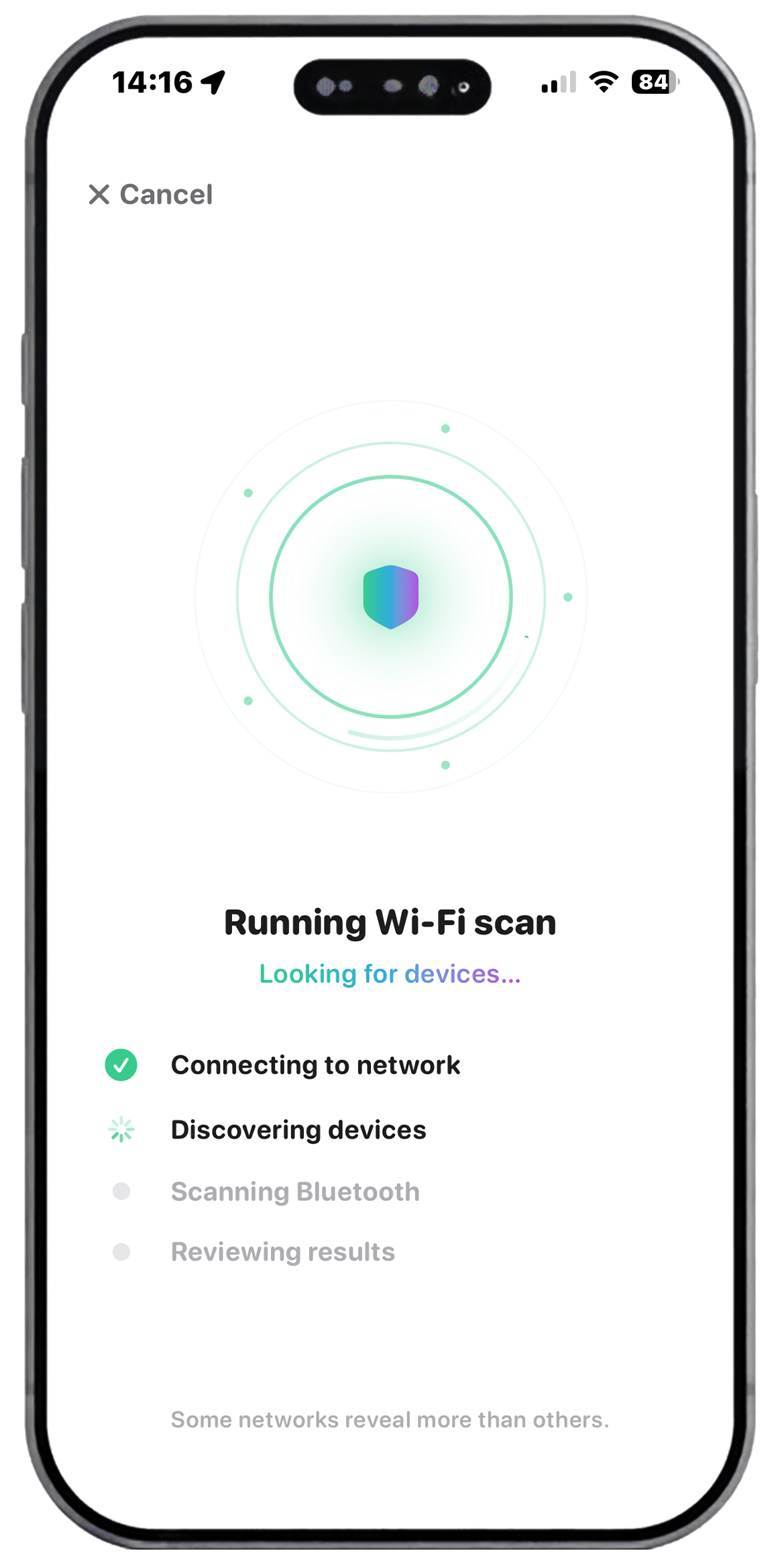
SafeRoom scans your hotel or rental's Wi-Fi, detects nearby Bluetooth signals, and walks you through a guided room inspection — all in under 2 minutes.

Download on App Store See how it works →

$4.99 / week  ·  $99 / year  ·  iOS 16+

100% On-Device Scan in <2 Minutes No Account Required Zero Data Transmitted
9:41●●●
Manual Check
Smoke detector
Mirror / glass
Alarm clock
TV surrounds
Plug sockets
Bathroom vents
9:41●●●
Active Network Scan
Smart TV · LGSafe
Unknown BT DeviceCheck
Router · TP-LinkSafe
Hidden Device ×1Risk
9:41●●●
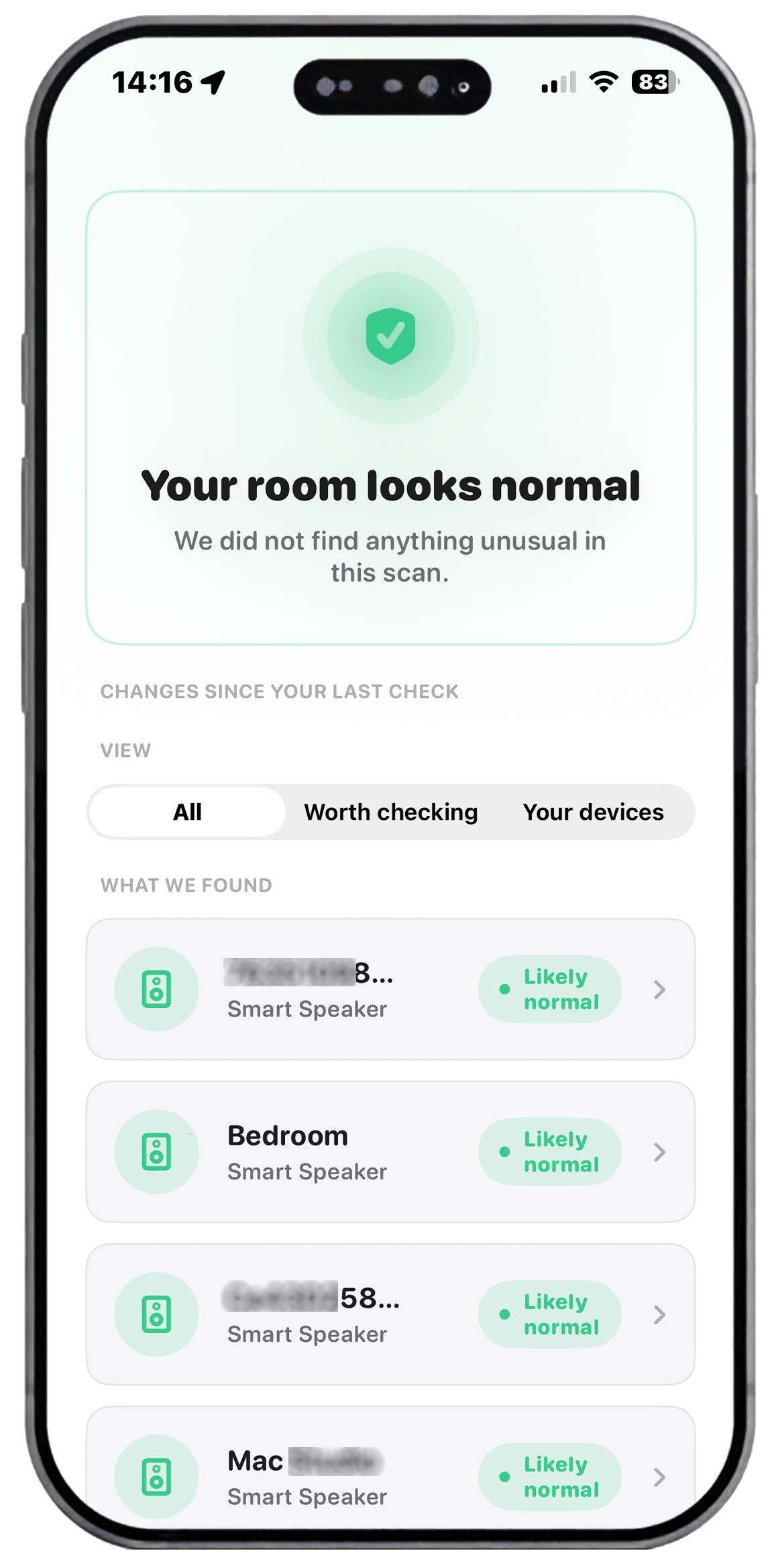
Scan Result
Room looks clear
No high-risk devices found. 1 item flagged for review.
4
Devices
1
Flagged
0
Data sent
28s
Scan time

The problem is real — reported in

BBC
The New York Times
VICE
THEGUARDIAN
CNBC

Everything you need to feel safe.

Three layers of protection, designed to work together in one seamless experience.

TV area
Wi-Fi Network Scan

Find devices hiding on your network.

SafeRoom uses Bonjour/mDNS discovery to map every device on the local Wi-Fi — and flags anything that looks out of place for a rental room.

  • Detects all network-connected devices on your subnet
  • Identifies device type using vendor fingerprinting
  • Flags unusual service types with a risk score
  • Works even on isolated hotel networks
Mirror
Bluetooth Detection

Catch signals the Wi-Fi scan can't see.

Many hidden camera transmitters use Bluetooth Low Energy. SafeRoom's BLE scanner captures nearby signals and surfaces anything unexpected — including devices behind walls.

  • Passive BLE scanning via CoreBluetooth
  • RSSI signal strength to estimate proximity
  • Identifies known device categories (audio, video, sensors)
  • Highlights unnamed or obfuscated devices
Smoke detector
Manual Inspection

A guided walkthrough of your whole room.

For devices that don't broadcast — hidden in smoke detectors, mirrors, or plug sockets — SafeRoom walks you through a methodical visual inspection, room by room.

  • Structured checklist for every room area
  • Photo-guided instructions for each zone
  • Smoke detectors, mirrors, clocks, vents, and more
  • Results saved to your private scan history
Bathroom
Scan Report

A full record of every check you run.

After every scan, SafeRoom generates a clear summary of everything found — stored privately on your device, never uploaded anywhere.

  • Timestamped, location-labelled reports
  • Combined Wi-Fi + Bluetooth + manual results
  • Easy share via AirDrop, email, or Notes
  • Stored locally — never uploaded to any server
Why SafeRoom

Three scans. Complete peace of mind.

Each protection layer covers what the others can't — so nothing gets missed.

TV area
Wi-Fi Scan Active
Network Intelligence

Every device on your network, exposed.

When you connect to a hotel or rental Wi-Fi, SafeRoom immediately maps the entire local network using Bonjour service discovery — fingerprinting each device by vendor, hostname, and service type.

  • Automatic vendor and device-type identification
  • Risk scoring for each discovered device
  • Detects service types that don't belong in a room
30s
Average scan time
100%
On-device processing
Mirror
BLE Scan Active
Bluetooth Detection

Hidden cameras use Bluetooth too. We find them.

Cameras that skip Wi-Fi broadcast low-energy Bluetooth instead. SafeRoom's passive BLE scanner captures these signals and uses signal strength to estimate where in the room a device might be.

  • Detects unnamed and obfuscated BLE devices
  • RSSI proximity estimation to narrow location
  • Classifies device categories (audio, video, IoT)
10m
BLE detection range
0
Data ever leaves your phone
Smoke detector
Manual Check Active
Manual Inspection

Some things you have to look for yourself.

Analogue, air-gapped cameras don't broadcast at all. SafeRoom walks you through the 7 highest-risk areas in any room with clear, photo-guided instructions.

  • Smoke detectors, mirrors, lamps, clocks, vents
  • TV surrounds, USB ports, and decorative objects
  • Bathroom and wet areas — often overlooked
7
Room zones covered
3 min
Full walkthrough

Up and running in under 2 minutes.

No setup. No account. No nonsense. Just open the app and start scanning.

Step 01

Connect to the room Wi-Fi

Join the hotel or Airbnb Wi-Fi as you normally would. SafeRoom takes it from there — no extra setup required.

Step 02

Run the three-layer scan

SafeRoom scans the Wi-Fi network, sweeps for Bluetooth signals, then guides you through the manual checklist — in sequence.

Step 03

Get your result and rest easy

Results are colour-coded and actionable. Green means clear. Anything flagged comes with a plain-language explanation and next steps.

Privacy by Design

Your data never leaves your phone.

SafeRoom was built from day one with a zero-transmission policy. No accounts, no analytics, no cloud sync, no servers. Every scan result stays exactly where it should — with you.

No account required

Download and use immediately. We never ask for your name, email, or any identifier.

Zero network transmission

All scanning and processing happens locally. No data is sent to any server, ever.

Local-only scan history

Your scan reports are stored in encrypted local storage on your device. Only you can access them.

SafeRoom

SafeRoom Security Snapshot

0Servers we use
0Data transmitted
0Accounts needed
Scans you can run

Check in with confidence.

The next time you walk into a rental or hotel room, you'll have the tools to know exactly what's there.

Download on the App Store

$4.99 / week  ·  $99 / year  ·  iOS 17+